
 James
James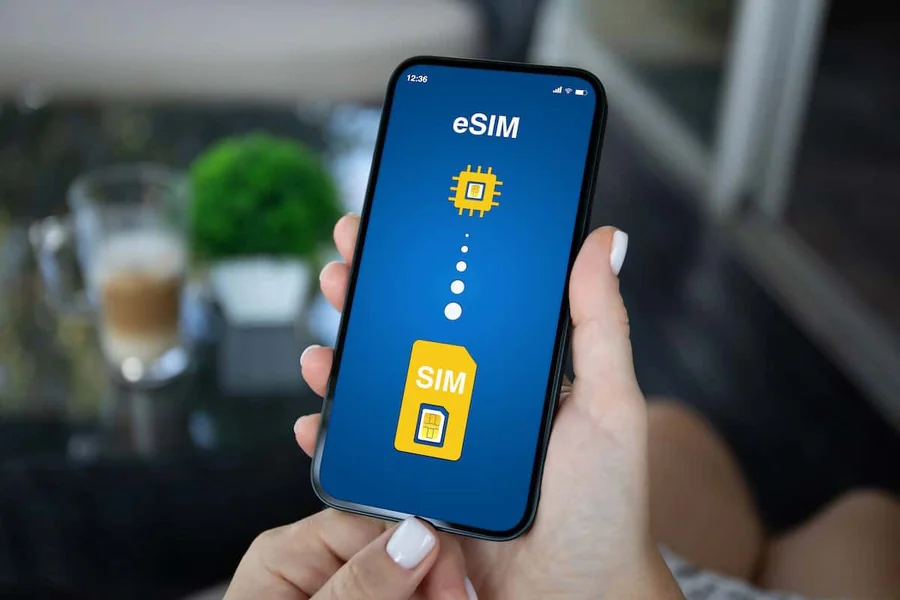
For years, arriving in a new country came with the same uncomfortable ritual — pay shocking roaming charges to your home carrier, wander an unfamiliar airport hunting for a local SIM kiosk, or resign yourself to days of patchy hotel Wi-Fi. That trade-off is finally disappearing. A travel eSIM lets you land in Tokyo, Barcelona, or Cape Town with a working mobile data plan already installed on your phone, ready the moment your flight touches down.
If you have booked a trip in the last year, chances are you have seen the term travel eSIM everywhere — on airline apps, travel blogs, and Reddit threads. But what exactly is it, how does it work, and is it the right fit for the kind of trips you take? This guide walks through everything a modern traveler needs to know: how the technology works, how to compare providers, how to install one on your phone, and the practical mistakes to avoid on the road.
- What Is a Travel eSIM?
- How a Travel eSIM Actually Works
- Travel eSIM vs Physical SIM: What Really Changes for Travelers
- Convenience
- Keeping Your Home Number Active
- Speed of Setup
- Long-Term Cost
- Travel eSIM vs International Roaming
- Travel eSIM vs Pocket Wi-Fi
- Is Your Phone Compatible with a Travel eSIM?
- How to Choose the Best Travel eSIM Provider
- Coverage
- Data Allowance and Fair Use
- Network Speed
- Validity Period
- Tethering and Hotspot Use
- Customer Support
- How to Install a Travel eSIM: Step-by-Step
- On an iPhone
- On an Android Phone
- When to Install
- Best Practices for Using a Travel eSIM Abroad
- Install Before You Fly
- Turn Off Data on Your Home Line
- Test the Connection Early
- Monitor Data Usage
- Keep a Backup Plan
- Who Benefits Most from a Travel eSIM?
- Short-Trip Business Travelers
- Multi-Country Backpackers
- Digital Nomads
- Cruise Passengers
- Families Traveling Together
- Common Myths About Travel eSIMs
- Tips to Get the Most from Your Travel eSIM
- Frequently Asked Questions About Travel eSIMs
- Final Thoughts
What Is a Travel eSIM?
A travel eSIM is a small, embedded chip that lives permanently inside your smartphone, tablet, or smartwatch. Unlike a traditional plastic SIM card that you slide in and out of a tray, an eSIM — short for “embedded SIM” — is soldered onto your device’s motherboard. What changes is not the chip itself but the profile stored on it: the digital record that tells the phone which carrier to connect to.
When you buy a travel eSIM, you are essentially buying a downloadable profile. You scan a QR code, tap through a few setup screens, and your phone now recognizes a new mobile network — usually a local carrier in the country you are visiting or a regional operator covering several countries at once. Your original SIM stays untouched, so calls and texts to your home number keep working while your travel data plan handles everything else.
The core idea is simple: strip out the physical hassle of swapping SIM cards and let travelers activate a local mobile plan in minutes, from anywhere, without visiting a store.
How a Travel eSIM Actually Works
Under the hood, a travel eSIM relies on the same GSMA-standardized specification as consumer eSIMs used by regular phone plans. When you purchase a plan, the provider generates a unique digital profile tied to a partner carrier’s network in your destination. That profile is delivered to you as a QR code or an activation link, usually within minutes of payment.
Once you scan the code, your device downloads the profile over Wi-Fi or an existing mobile connection and stores it alongside any other SIM profiles you may have. Modern smartphones — including recent iPhones, Samsung Galaxy models, Google Pixels, and many others — can hold multiple eSIM profiles at the same time and let you switch between them from the settings menu.
When you arrive in your destination country, you toggle the travel eSIM as your active data line. Your phone then registers on the local partner network, and you have mobile data almost instantly — often before you have finished walking through immigration.
Travel eSIM vs Physical SIM: What Really Changes for Travelers
Physical SIM cards are not going anywhere overnight, but the traveler use case is where eSIMs have clearly won. Here is how the two compare in practice.
Convenience
A physical local SIM requires you to find a shop, present ID, sometimes wait in a queue, and physically remove your existing SIM — which is easy to lose in a hotel room or airport. A travel eSIM is purchased online, delivered by email, and installed with your phone still in your pocket.
Keeping Your Home Number Active
Swapping to a physical local SIM usually means ejecting your home SIM. That means missed calls, missed two-factor authentication codes, and missed messages from family. With a travel eSIM, your primary line stays active. You simply route data through the eSIM while keeping calls and SMS on your original number.
Speed of Setup
Buying a physical SIM at an airport counter can take fifteen to thirty minutes once you factor in queues and paperwork. Installing a travel eSIM takes minutes at most — often before your bags come off the carousel.
Long-Term Cost
Local physical SIMs still have an edge in one area: cost-per-gigabyte for very long stays. If you are moving abroad for several months, a native local SIM is often cheaper. For trips of a few days to a few weeks, the eSIM math almost always favors travelers once you value your time.
Travel eSIM vs International Roaming
International roaming is what your home carrier charges when your phone connects to a foreign network without any special setup. Historically, this is where travelers got hit with headline-grabbing bills — hundreds or thousands of dollars for what seemed like normal phone use.
Even with modern “travel passes” that carriers now offer for a flat daily fee, the math often favors a travel eSIM for anything longer than a short weekend. A daily roaming pass typically costs around ten to twelve dollars in North America and comparable amounts in other markets. A travel eSIM covering the same country for a week can cost less than a single day of roaming while offering significantly more data.
Roaming also has hidden downsides. Speeds are often throttled after a small daily allowance, and some carriers restrict tethering, streaming, or heavy uploads. Travel eSIMs, on the other hand, generally connect directly to fast local networks with normal usage terms.
Travel eSIM vs Pocket Wi-Fi
Portable Wi-Fi hotspots — often called pocket Wi-Fi — used to be the go-to solution for travelers, especially families. They still work, but they carry real drawbacks: you have to reserve the device before your trip, pick it up and return it at specific counters, keep it charged, and carry an extra gadget around all day.
A travel eSIM eliminates the extra hardware entirely. Your phone becomes the hotspot when needed, using its own battery and always in your pocket. For solo travelers and couples, this is almost always the simpler and cheaper choice. Pocket Wi-Fi still makes sense mainly for large groups sharing one connection all day.
Is Your Phone Compatible with a Travel eSIM?
Not every phone supports eSIM technology, though the list of compatible devices has grown quickly. As a rough guide:
- iPhones: All iPhone XS, XR, and later models support eSIM. In the United States, iPhone 14 and newer models are eSIM-only, meaning they cannot use a physical SIM at all.
- Samsung Galaxy: Most flagship models from the Galaxy S20 series onward, along with recent Fold and Flip models, support eSIM.
- Google Pixel: Pixel 3 and later generations generally support eSIM, with a few regional exceptions.
- Other Android brands: Recent Motorola, OPPO, Huawei, and Xiaomi models increasingly support eSIM, though availability varies by country and model.
Two important checks before buying a travel eSIM:
- Confirm your phone is unlocked. Handsets tied to a specific carrier — for example, financed phones that have not yet been paid off — may refuse to accept a new eSIM profile.
- Verify the eSIM feature in your device settings. On iPhone, go to Settings > Cellular and look for “Add eSIM.” On Android, the exact path varies but is usually under Network & Internet > SIMs.
Most travel eSIM providers now offer instant compatibility checks on their websites, saving you the guesswork.
How to Choose the Best Travel eSIM Provider
The travel eSIM market has grown quickly, and dozens of providers now compete for travelers. The right choice depends on your destination, trip length, and how heavily you use data. Several brands have built strong reputations — Holafly, Airalo, Nomad, and Saily are among the names travelers frequently mention — but the “best” provider varies from trip to trip.
When comparing options, focus on these six criteria.
Coverage
Check that the provider offers plans specifically for the country or region you are visiting. Regional plans — for example, an Asia plan covering ten countries — are excellent for multi-country trips. Single-country plans are usually cheaper if you are visiting just one destination.
Data Allowance and Fair Use
Providers usually offer tiered plans such as 1 GB, 5 GB, 10 GB, or unlimited. Some brands, like Holafly, are known for unlimited data plans in many destinations, which suit heavy users well. Others charge per gigabyte, which is better for light users. Always check whether “unlimited” plans have a fair-use cap after which speeds are throttled.
Network Speed
Look for plans that explicitly support 4G/LTE at a minimum, with 5G access in destinations where it is widely available. Speed varies not because of the eSIM itself but because of which local partner network the provider uses.
Validity Period
Plans typically range from three days to a month or longer. Match the duration to your trip length, adding a small buffer for delays and layovers.
Tethering and Hotspot Use
If you plan to share your connection with a laptop or a travel companion, confirm that the plan allows tethering. Most do, but some cheaper plans restrict it.
Customer Support
When something goes wrong at 11 p.m. in a foreign country, you want a provider with responsive twenty-four-hour support, ideally live chat in a language you speak. Read recent reviews to see how support actually performs, not just how it is advertised.
How to Install a Travel eSIM: Step-by-Step
The installation process is straightforward, but the exact steps vary slightly by phone. Here is what to expect.
On an iPhone
- Buy your travel eSIM plan online and check your email for the QR code.
- Connect to a stable Wi-Fi network.
- Open Settings > Cellular > Add eSIM.
- Choose “Use QR Code” and scan the code from your provider.
- Follow the prompts to name the plan — for example, “Japan Trip” — and choose whether it is your default data line.
- When you arrive at your destination, turn on Data Roaming for the travel eSIM line and toggle it as your active data source. Data Roaming here refers to the eSIM’s own foreign network, not extra roaming charges.
On an Android Phone
- Download the QR code from your provider’s email.
- Open Settings > Network & Internet > SIMs. The wording varies by manufacturer.
- Tap “Add eSIM” or “Download a SIM instead?”
- Scan the QR code and follow the prompts.
- Once installed, choose the eSIM as your data line and enable roaming.
When to Install
Most providers recommend installing the eSIM before your trip so you can confirm it downloaded correctly. You can typically install a plan without activating it — activation only starts when the eSIM first connects to a network in the destination country, or on a specific start date you choose during purchase.
Best Practices for Using a Travel eSIM Abroad
A little preparation goes a long way toward a smooth experience.
Install Before You Fly
Airport Wi-Fi can be slow, inconsistent, or password-locked. Installing your eSIM at home over reliable Wi-Fi removes one point of failure from your travel day.
Turn Off Data on Your Home Line
Once you arrive, disable cellular data on your primary SIM to avoid accidental roaming charges. Your home line can still receive calls and texts on Wi-Fi Calling or over the network — just not data.
Test the Connection Early
As soon as you land, check that the eSIM has connected and that mobile data works. If something is off, contacting support from the airport with free Wi-Fi is much easier than troubleshooting later in a taxi or hotel.
Monitor Data Usage
Check your provider’s app or dashboard periodically. Streaming HD video eats data quickly, and running out mid-trip is inconvenient. Most providers let you top up if needed.
Keep a Backup Plan
Save your provider’s support contact and a backup way to connect — for example, a screenshot of the top-up link — in case your eSIM plan expires or your primary phone runs out of battery.
Who Benefits Most from a Travel eSIM?
Travel eSIMs work for almost any traveler, but a few groups get outsized value.
Short-Trip Business Travelers
For a two- to five-day business trip, a travel eSIM is almost always the fastest, cheapest option. You keep your home number active for calls, get reliable data for maps and email, and never leave the airport hunting for a SIM shop.
Multi-Country Backpackers
Travelers doing a Southeast Asia loop or a European rail tour benefit enormously from regional eSIM plans that cover many countries under one profile. Instead of buying a new SIM in each country, you activate once and cross borders freely.
Digital Nomads
If you work remotely from a new country every month or two, an eSIM becomes your primary line. Some providers offer long-duration plans specifically designed for stays of one to three months, often with generous or unlimited data.
Cruise Passengers
Cruise ship data is notoriously expensive. A travel eSIM lets you connect at each port of call at a fraction of the cost, then rely on ship Wi-Fi — or nothing — while at sea.
Families Traveling Together
Instead of paying roaming fees for every family member, each traveler installs a travel eSIM on their own phone. Some providers offer family or multi-device plans that share a common data pool, which can simplify billing.
Common Myths About Travel eSIMs
Because the technology is still new to many travelers, a few misconceptions come up often.
“eSIMs are complicated to set up.” In practice, installation takes about five minutes and requires nothing more than scanning a QR code. If you have ever set up a new social media account on your phone, you have the skills to install a travel eSIM.
“Connection quality is worse than a physical SIM.” Travel eSIMs use the same local carrier networks that physical SIMs use. The connection is identical — the difference is only in how the profile arrived on your phone.
“eSIMs only cover one country.” Many providers offer regional and global plans covering dozens of countries under a single plan. If you are visiting multiple destinations, ask specifically about regional plans.
“You lose your home number when using an eSIM.” The opposite is true. Because your physical SIM or original eSIM profile stays in place, your home number remains active. You can receive calls and texts while using the travel eSIM for data.
“eSIMs are more expensive than local SIMs.” For short and medium trips, travel eSIMs are usually cheaper once you factor in the time and hassle of finding a local SIM shop. For very long stays, a native local SIM may still win on pure cost per gigabyte.
Tips to Get the Most from Your Travel eSIM
A few small habits make a big difference on the road.
Estimate your data needs realistically. A traveler using mostly maps, messaging, and occasional social media typically needs one to three gigabytes per week. Video streaming, video calls, and cloud photo backups push that number sharply higher. Choose a plan that matches your realistic use rather than the smallest option.
Read the fine print on start dates. Some plans activate the moment you install them; others start when the eSIM first connects to a network in the destination. Understanding this saves you from burning valid days before your trip even begins.
Bookmark your provider’s dashboard. You will want to check remaining data and, if needed, top up mid-trip without hunting through emails.
Consider unlimited plans for heavy users. If you rely on video calls, cloud file uploads, or content creation while traveling, an unlimited data plan — offered by providers such as Holafly in many destinations — often works out cheaper than paying overage fees on a small plan.
Delete old eSIMs you no longer need. Phones can store several eSIM profiles, but old ones from past trips clutter your settings and occasionally cause confusion. Remove expired profiles once you are home.
Screenshot your QR code and activation details. Email attachments have a way of disappearing when you need them most. A screenshot in your photo gallery is a reliable backup.
Frequently Asked Questions About Travel eSIMs
Do travel eSIMs include a phone number? Most data-only travel eSIMs do not come with a local phone number. You use apps like WhatsApp, iMessage, Signal, or Zoom for calls and texts. A few premium plans do include a local number for an additional cost.
Can I use a travel eSIM and my home SIM at the same time? Yes. Modern smartphones support dual-SIM operation. Your home line handles calls and texts to your original number, while your travel eSIM handles data.
What happens if I run out of data? Most providers let you top up through their app or website within minutes. Some also offer auto-renew options for longer trips.
Can I use a travel eSIM for calls? Data-only eSIMs support internet-based calls through apps like WhatsApp and FaceTime. For traditional voice calls, you use your home line or buy an eSIM plan that includes a local number.
Are travel eSIMs safe? Yes. eSIMs use the same encryption and security standards as physical SIMs. Buying from a reputable provider protects you from most risks and gives you a dashboard to manage and cancel plans.
What if my phone does not support eSIM? Older or entry-level phones may not be compatible. In that case, a physical local SIM or a portable Wi-Fi device is your best option — or consider upgrading your phone before a major trip.
Do I need to remove my physical SIM? No. Your physical SIM can stay in place. You simply toggle the travel eSIM as your active data line when you want to use it, and switch back when you are home.
Can I use a travel eSIM on a tablet or smartwatch? Yes, if the device supports eSIM. Many modern iPads, cellular Apple Watch models, and some Android tablets can install their own travel eSIM profiles.
How far in advance should I buy my travel eSIM? Anywhere from a few days to a few weeks before departure is ideal. Buying too early is fine because most plans only start counting down when you activate them.
Final Thoughts
The travel eSIM has quietly become one of the most useful upgrades for modern travelers — cheaper than international roaming, faster than airport SIM kiosks, and more convenient than pocket Wi-Fi. For most trips, it is now the default answer to the question “how will I stay connected abroad?”
Whether you are a weekend traveler heading to Paris or a digital nomad working through Southeast Asia, taking ten minutes before your flight to install a travel eSIM saves hours of frustration on the road. Compare a few providers — Holafly is a widely used option among frequent travelers, but the right pick depends on your destinations and data needs — read a few recent reviews, and make eSIM setup part of your standard pre-trip checklist alongside packing your passport and downloading offline maps.
For more travel guides, destination tips, and smart packing checklists that help you travel lighter and smarter, visit Star Storyline — a resource built for thoughtful travelers who want practical advice without the fluff.
