
 James
James
There’s a specific kind of delight in looking at an image, thinking you understand it, and then realizing your eyes were tricking you the entire time. Optical illusions have fascinated people for centuries, but designing one from scratch traditionally required a solid grasp of perspective, geometry, and visual perception.
An advanced image generator removes most of that technical barrier, letting you describe a simple illusion concept and watch it rendered with genuine precision. Dreamina handles this especially well, maintaining the exact structural accuracy that makes an illusion actually work rather than just looking vaguely strange.
Here’s how to design an illusion that genuinely fools the eye.
Table of Contents
- Why precision matters more than creativity here
- The core types of illusions worth exploring
- Dreamina’s models, and which one to trust for precision work
- From concept to convincing illusion in three moves
- Step 1: Write a text prompt and/or add a reference image
- Step 2: Adjust parameters and generate
- Step 3: Customize and download
- Testing whether your illusion actually works
- Color and contrast as functional tools
- Where illusion art performs surprisingly well
- Layering hidden shapes into the composition
- Transforming well-known images or places into puzzles
- The best trick is the one people want to share
Why precision matters more than creativity here
Unlike most art styles, an optical illusion has almost no room for visual error. A slightly misaligned pattern or an imperfect symmetry breaks the entire effect instantly, turning a clever trick into just a messy pattern. This makes technical accuracy the real creative challenge, even more than the initial concept itself.
The core types of illusions worth exploring
Most optical illusions fall into a few reliable categories, each relying on a different perceptual trick.
-
Perspective illusions that distort depth and scale
-
Pattern illusions that create false motion through repetition
-
Ambiguous figure illusions that hide a second image within the first
Choosing one category before you start prompting keeps your description focused and dramatically improves the odds of a convincing result.
Dreamina’s models, and which one to trust for precision work
Dreamina offers a handful of distinct image generation models, and for illusion work specifically, the differences between them actually matter quite a bit.
Seedream 5.0 Pro, the newest and most technically capable model available, is the strongest choice here by a clear margin. Its ability to maintain precise pattern alignment and geometric consistency across an entire composition is exactly what separates a real illusion from a pattern that merely looks busy. When the whole point of the image depends on exact repetition and symmetry, this is the model worth defaulting to.
Nano Banana works well for quickly testing rough illusion concepts before investing time in a fully refined version, though it’s less reliable for the pixel-level precision a finished piece needs. GPT Image 2 handles prompts with detailed structural instructions reasonably well, making it a decent secondary option when describing more complex, multi-layered illusion setups.
From concept to convincing illusion in three moves
Dreamina makes it possible to test illusion ideas quickly, without needing a background in geometry or design.
Step 1: Write a text prompt and/or add a reference image
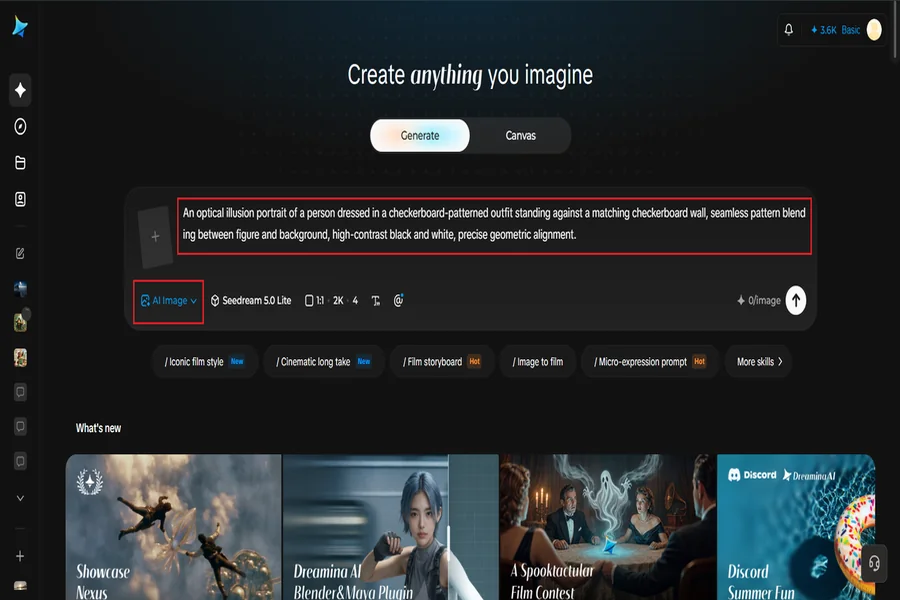
Head to Dreamina and describe your illusion concept with precise language about pattern, alignment, and perspective. If you have a reference image of a similar illusion structure, upload it to help guide the geometry.
For instance: An optical illusion portrait of a person dressed in a checkerboard-patterned outfit standing against a matching checkerboard wall, seamless pattern blending between figure and background, high-contrast black and white, precise geometric alignment.
Step 2: Adjust parameters and generate
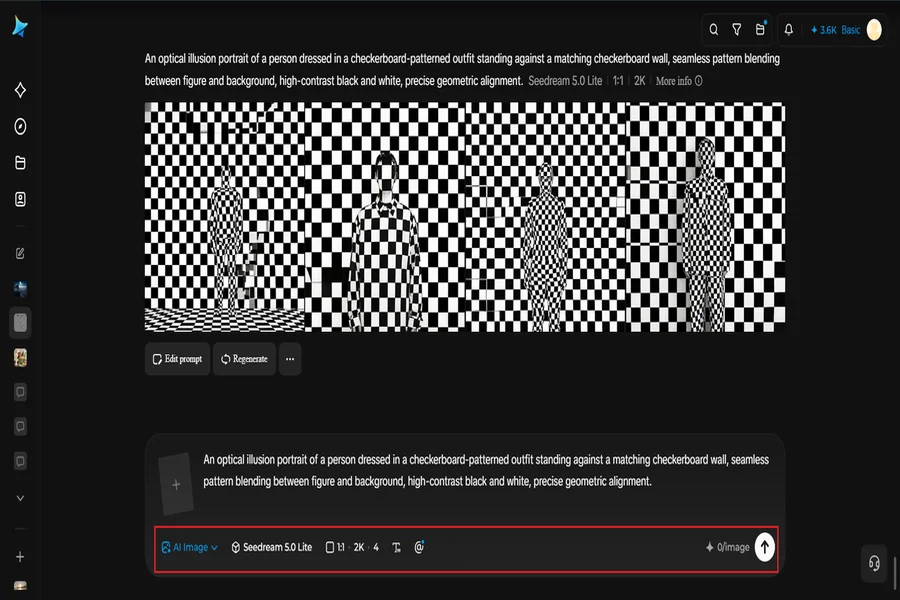
Choose Image 5.0 Pro, built on Seedream 5.0 Pro, for the pattern accuracy and geometric precision this style demands, then set your aspect ratio, canvas size, and resolution — 1K for quick testing, 2K for a sharper, more convincing final version. Click the generate icon to render your illusion.
Step 3: Customize and download
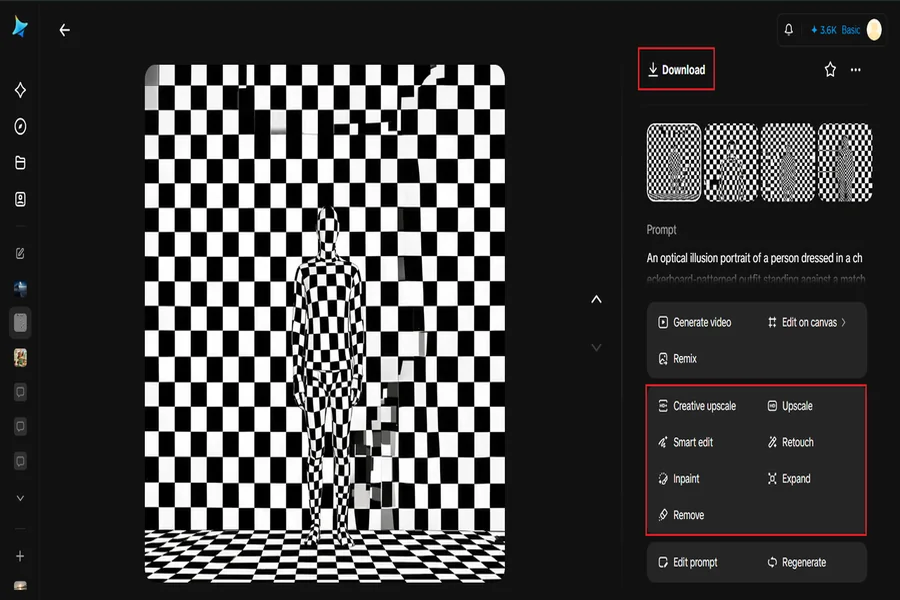
Refine the piece using Dreamina’s tools: inpaint to correct any misaligned pattern sections, expand to extend the illusion’s repeating structure, remove to eliminate distracting elements, and retouch to sharpen contrast and edges. Once the effect holds up, click Download.
Testing whether your illusion actually works
Once generated, step back and view the image at a smaller size, or squint slightly — many illusions reveal themselves more clearly at a distance or in peripheral vision than up close. If the trick doesn’t read clearly at a glance, the pattern likely needs tighter alignment.
Color and contrast as functional tools
In illusion art, color isn’t just aesthetic — it’s structural. High contrast combinations, like pure black and white or complementary colors, make pattern boundaries sharper and illusions read more clearly. Softer, low-contrast palettes tend to weaken the effect significantly.
Where illusion art performs surprisingly well
This style tends to generate strong engagement wherever visual curiosity thrives:
-
Social media posts designed around a “look closer” hook
-
Puzzle and brain-teaser content collections
-
Gallery-style prints and modern home decor
-
Editorial features on perception and visual design
Layering hidden shapes into the composition
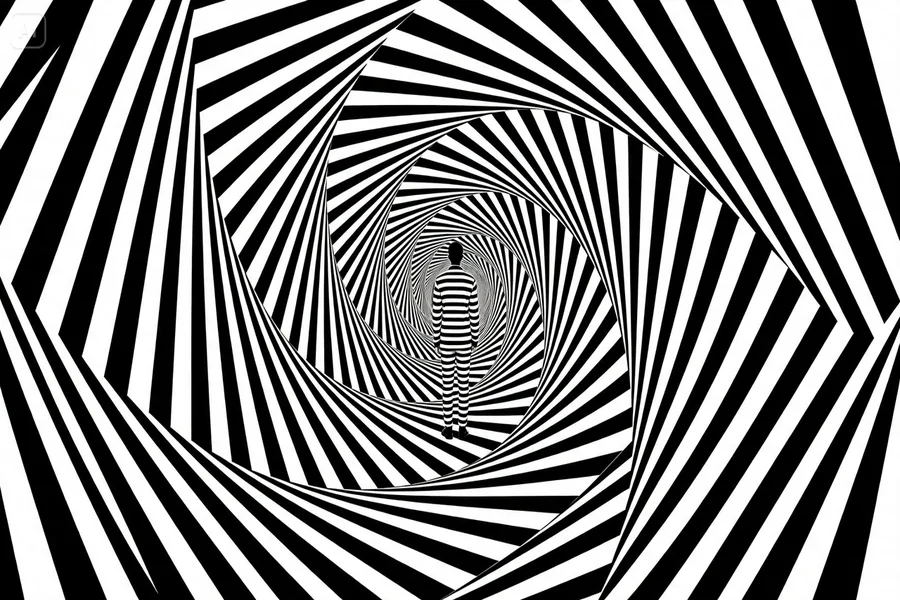
Creating a visual illusion can be even more fascinating by obscuring in the main design a recognizable shape, object or secondary image. The first pattern is most conspicuous, but when the pattern is looked at more closely, the second one can be seen as well, either because of the same pattern or the same lines. It is very effective with faces, animals, letters and silhouettes since people have a clear picture of what they are looking for.
Transforming well-known images or places into puzzles
Visual illusions do not need to be only made of abstract geometrical forms. The familiar place will be much more interesting when played with perspective, size and location of the object in that place. The corridor might appear to stretch on forever; the stairs might look like they are folding over each other; or the furnishings might be arranged so that some overlap in the same physical space.
Dreamina can enable you to add these odd ideas into vivid images and situations and maintain your grasp of reality. Consider a familiar place and make one of the elements of it impossible to occur, such as a living room in which the floor is extended along the wall as if it broke the law of physics.
Dreamina can enable you to add these odd ideas into vivid images and situations and maintain your grasp of reality. Consider a familiar place and make one of the elements of it impossible to occur, such as a living room in which the floor is extended along the wall as if it broke the law of physics.
The best trick is the one people want to share
A great optical illusion earns its own audience — people can’t help but tag friends and ask “wait, do you see it too?”
With Dreamina and the geometric precision of Seedream 5.0 Pro, building an illusion that actually holds up under a close look is both accessible and free, turning a simple concept into a genuinely mind-bending piece of art.
